
Delay capture
If you wish to delay the capture of the order you receive in your Shop, WooCommerce offers you a very simple way to do it.
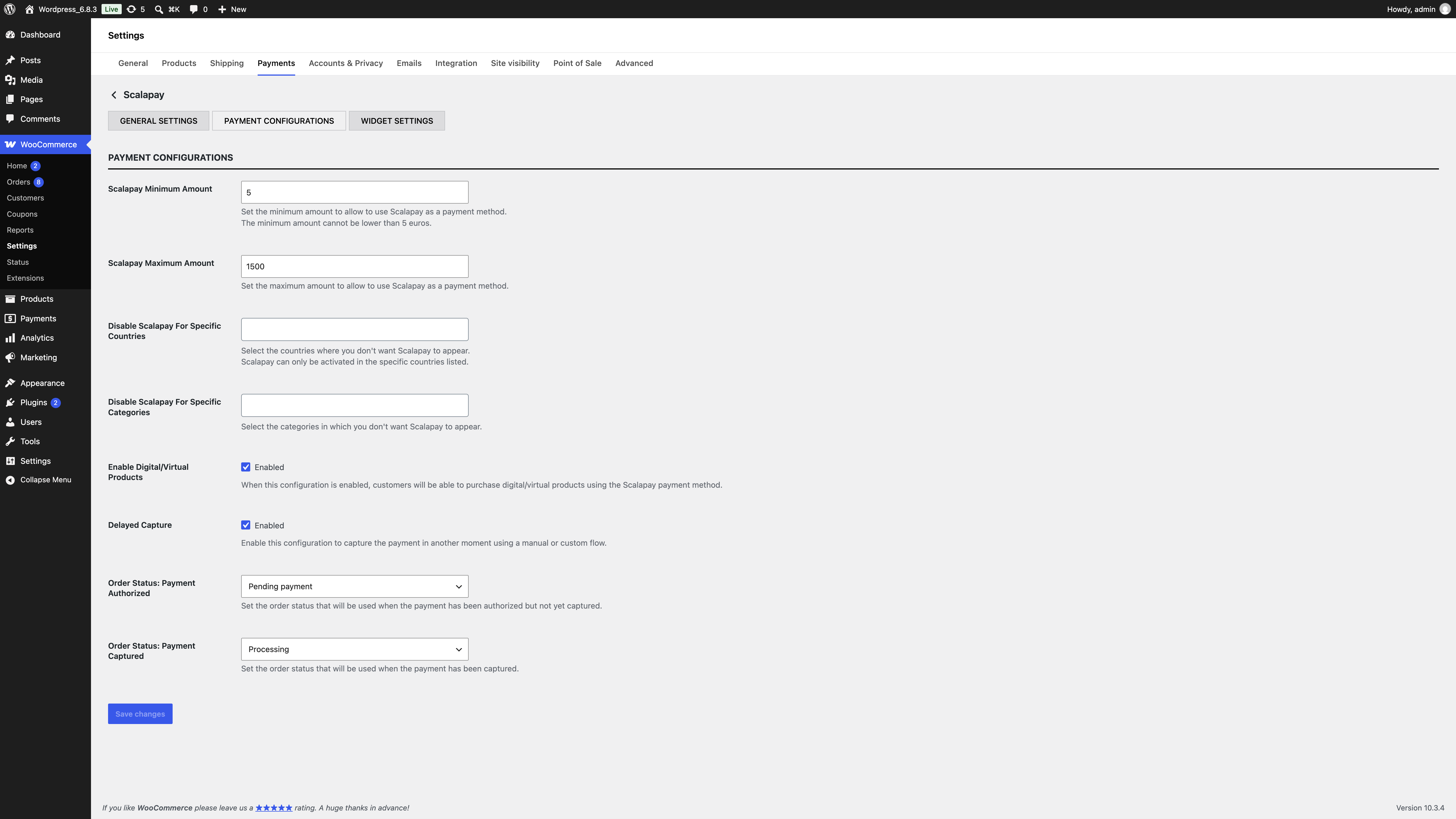
- WooCommerce > Settings and select "Payment" of your WooCommerce store
- Select "Scalapay" payment method
- Click and open "Payment Configuration" on the navigation Tab Bar
- Activate the Delay Capture by flagging "Delayed Capture " checkbox
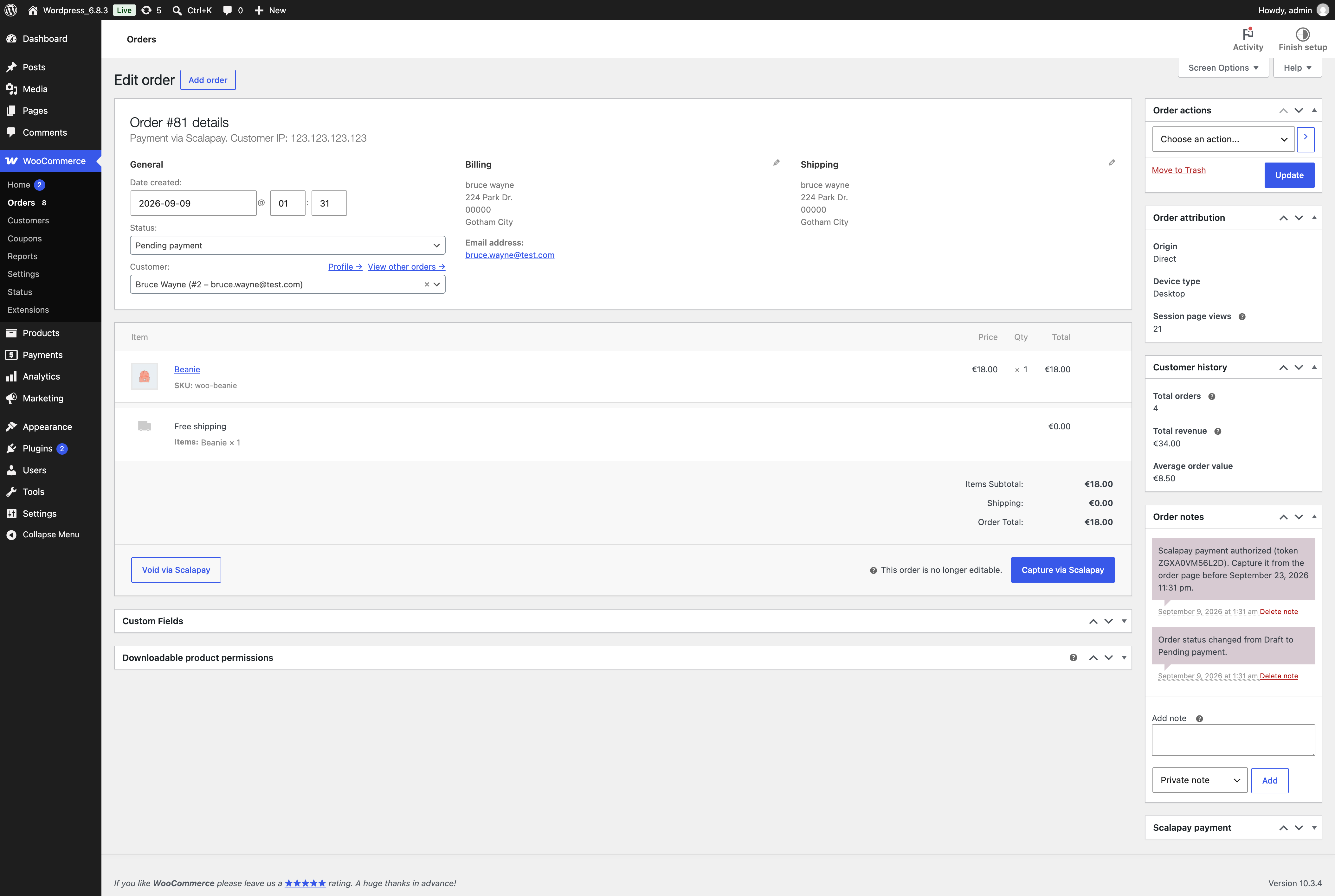
From now on, every time you receive an order, you will need to manually capture payments using the "Capture via Scalapay" button in the order details within the WooCommerce Orders section.
Updated 20 days ago