
Multi-store configuration
The Scalapay plugin relies on Shopware's native per-Sales-Channel configuration. Every setting can be defined globally and, where needed, overridden on a single sales channel. This page applies to the Shopware v6 plugin.
Where to find the settings: Extensions → My extensions → Scalapay → Configure (alternatively Settings → System → Plugins → Scalapay).
1. The Sales Channel selector
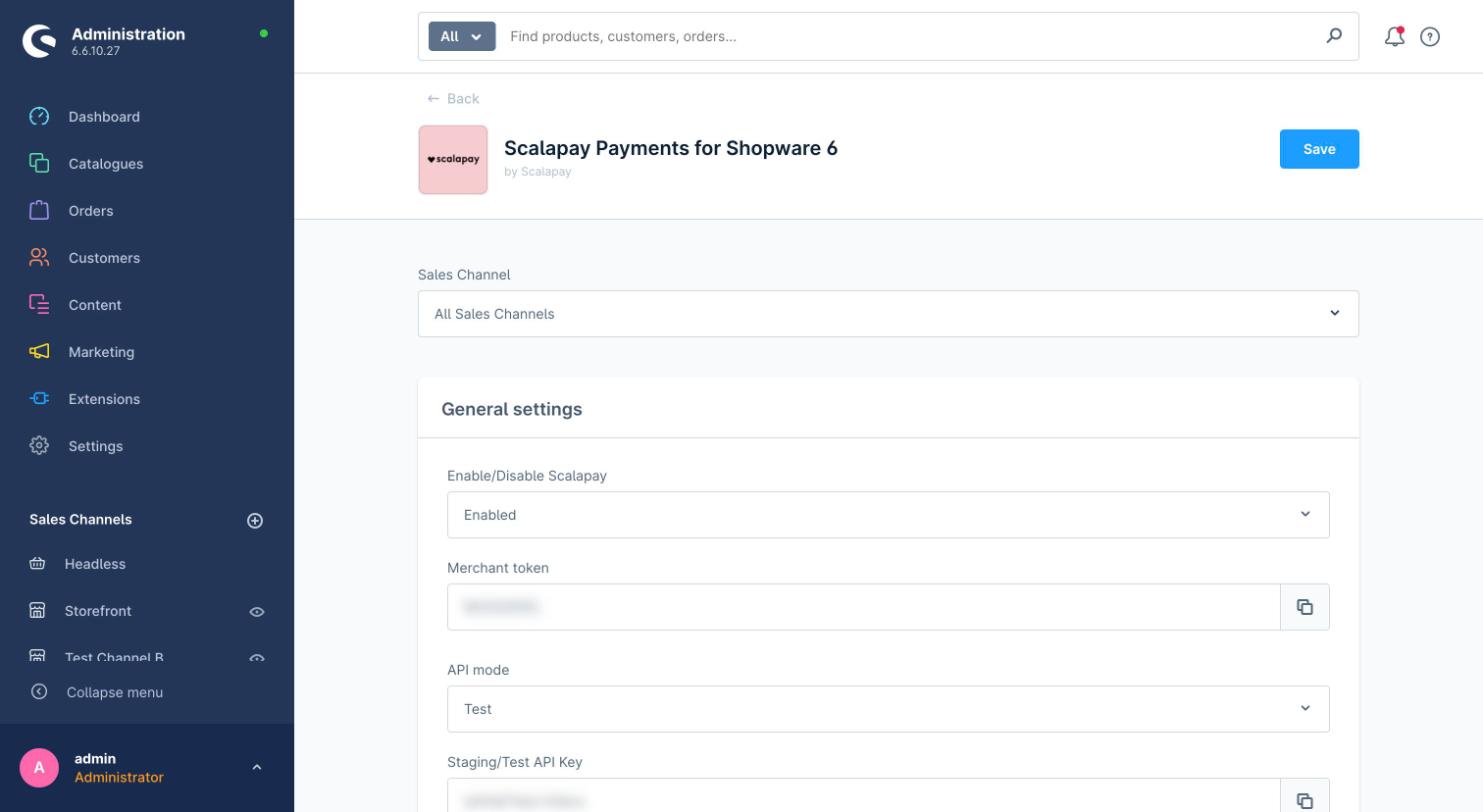
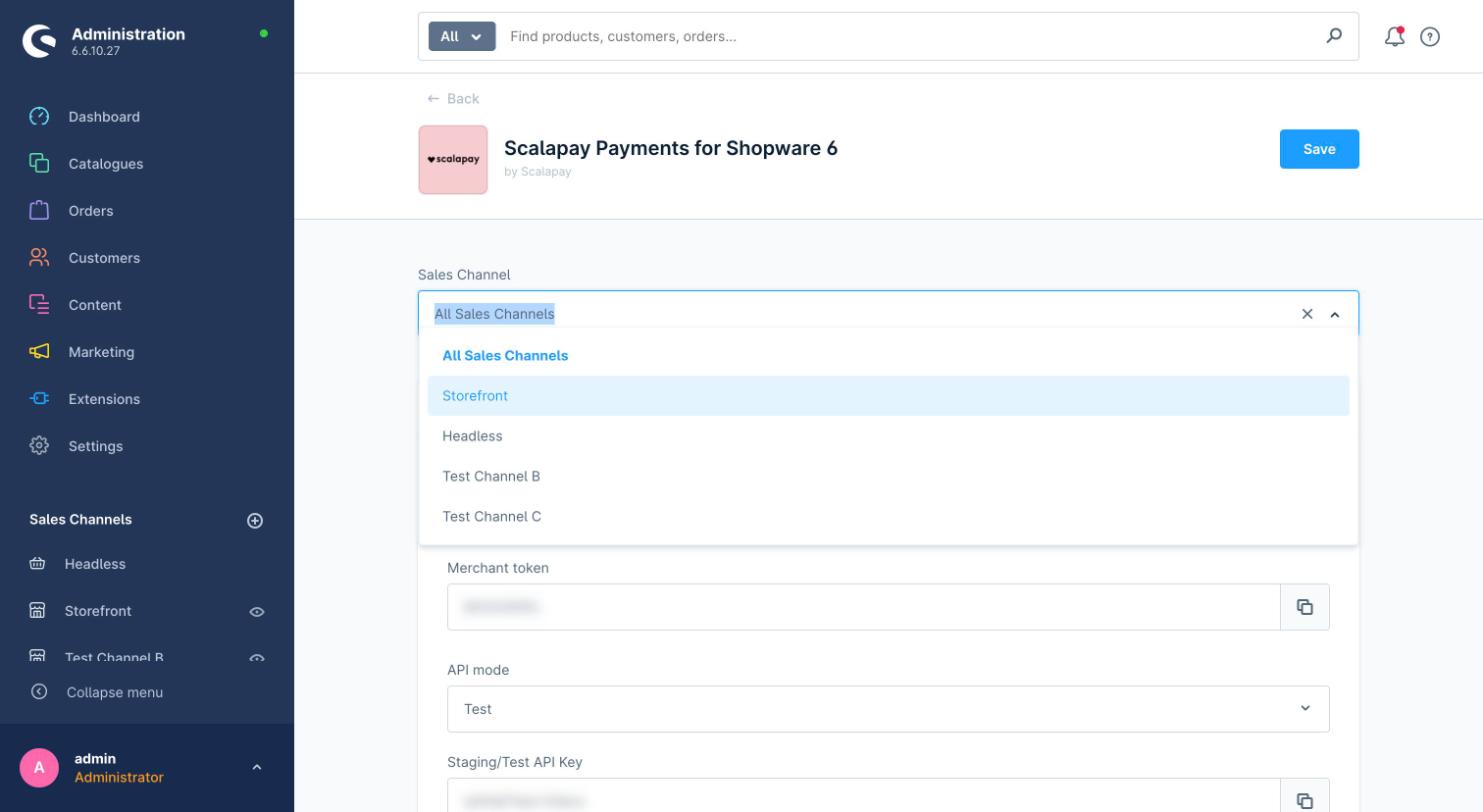
The Sales Channel selector at the top of the configuration page drives the multi-store behaviour:
| Selection | What you edit |
|---|---|
| All Sales Channels | The global / default values. They apply to every channel that does not define its own override. |
| A specific channel (e.g. Storefront, Test Channel B) | The configuration for that channel only. |
2. Inheritance: the chain icon
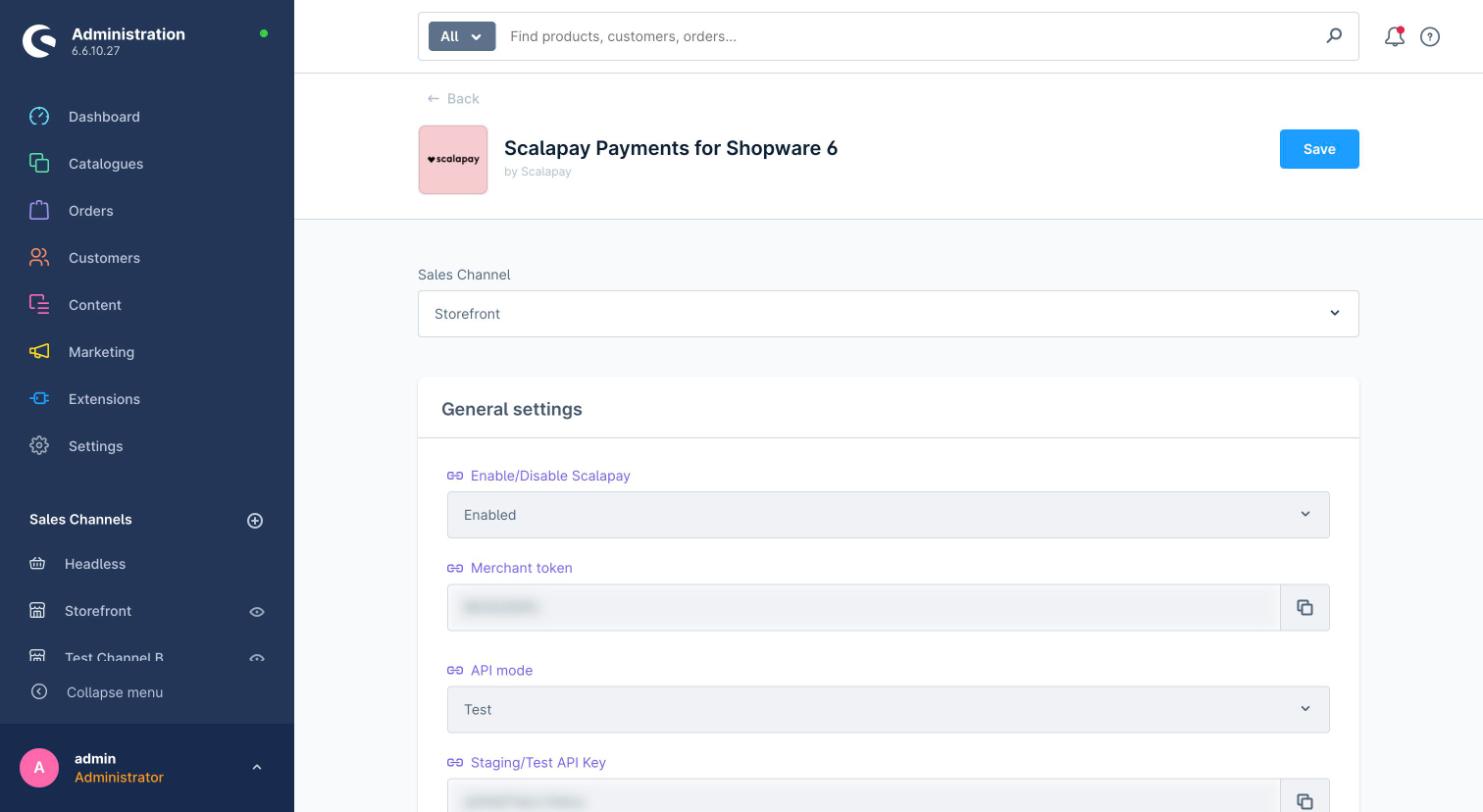
When a specific channel is selected, each field shows a chain icon next to its label and appears greyed out: the field inherits the global value set under All Sales Channels. As long as the chain is intact, the channel always follows the global configuration.
3. Overriding a single channel
To set a different value on a single channel:
- Select the channel from the Sales Channel menu.
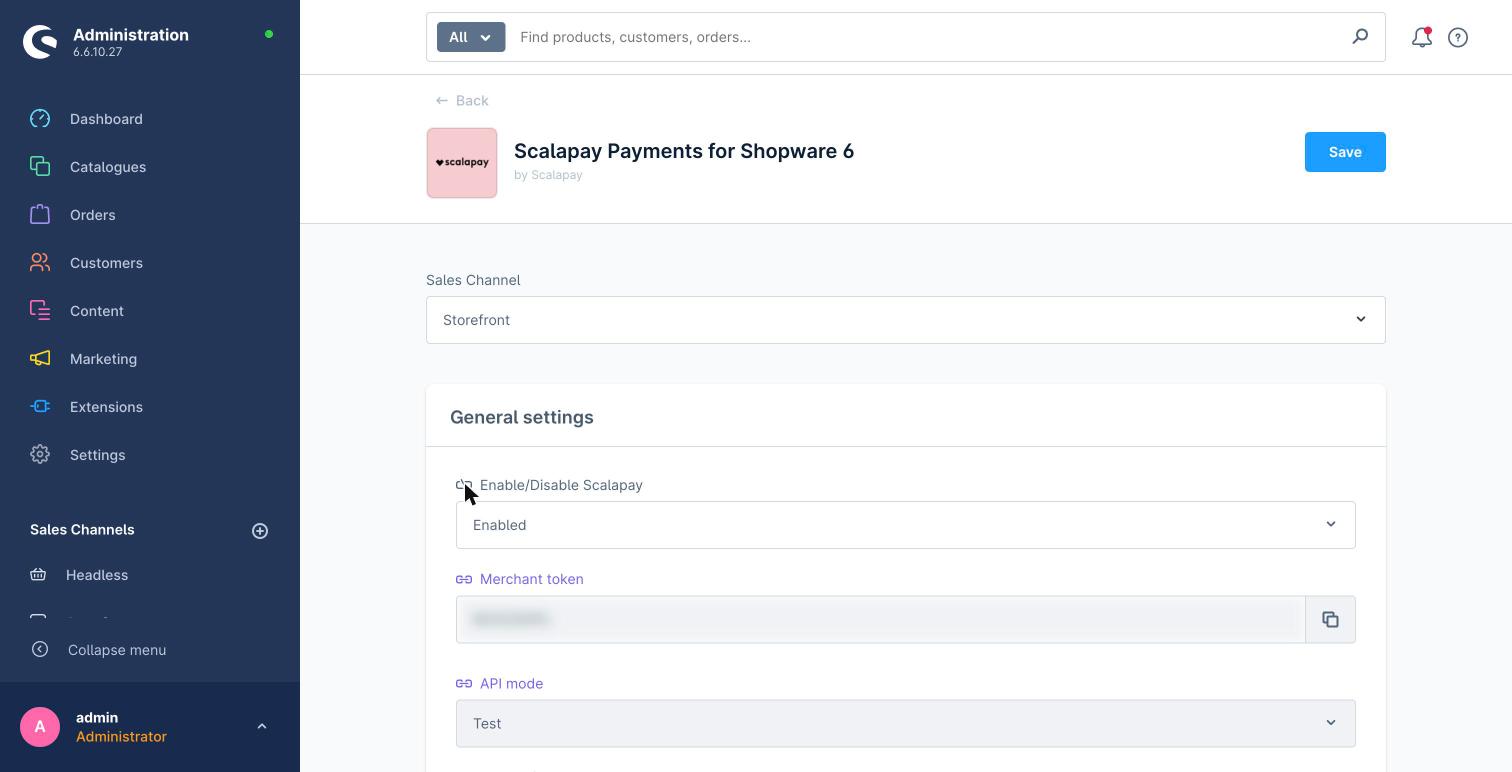
- Click the chain icon next to the field you want to customise. The chain breaks and the field becomes white / editable.
- Enter the channel-specific value (for example a different API key, a different Test/Live mode, or enable/disable Scalapay on that channel).
- Click Save. The save applies to the currently selected channel.
To restore inheritance, click the chain icon again: the field turns grey and goes back to the global value.
Typical multi-store exampleA single merchant running several sales channels (for example IT and DE, or B2C and B2B) can keep the common parameters at the global level and override only the API key per channel (one per contract / sales channel), leaving Mode, min/max amount, widget selectors, etc. inherited.
Updated about 5 hours ago